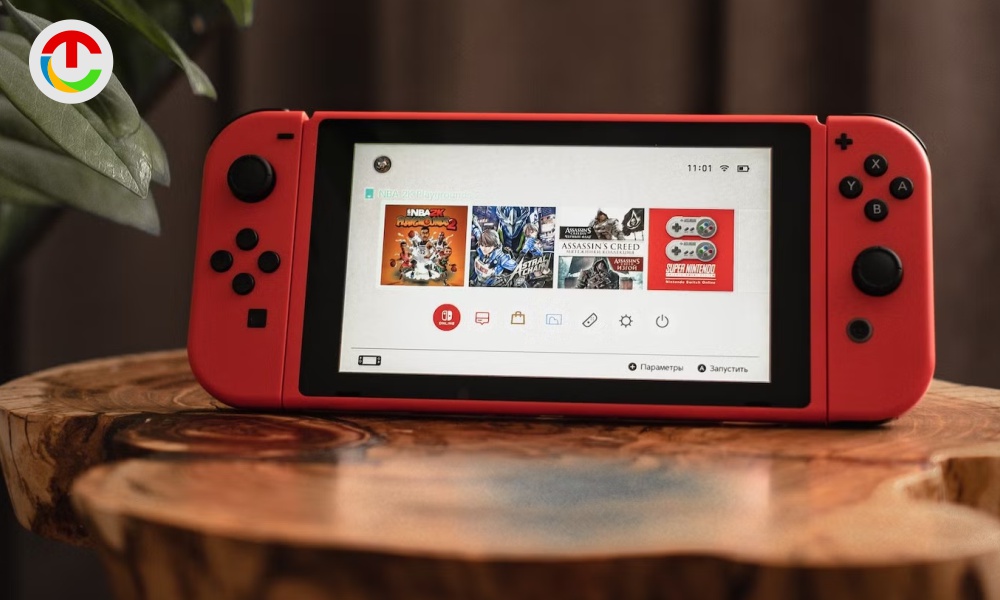
The Nintendo Switch Console has become one of the most loved gaming systems worldwide, thanks to its hybrid design, exclusive titles, and family-friendly appeal. However, like any piece of technology used daily, it is not immune to issues. From drifting Joy-Cons to charging problems, many users encounter challenges that can disrupt the gaming experience. The good news is that most of these problems are well-known, well-documented, and often fixable with simple steps.
This guide draws on real user experiences, technical understanding, and practical troubleshooting to help you resolve the most common Nintendo Switch issues confidently.
- Joy-Con Drift
Joy-Con drift is arguably the most talked-about issue with the Nintendo Switch Console. It occurs when the analog stick registers movement even when untouched, causing characters or menus to move on their own.
Why it happens:
Dust, wear on internal contacts, or sensor degradation over time.
How to fix it:
Start by recalibrating the Joy-Con through the system settings. Cleaning the joystick gently with compressed air or isopropyl alcohol can also help. If the problem persists, replacing the joystick module is an affordable and effective solution. In some regions, Nintendo offers free repairs for drift-related issues.
- Console Not Charging or Charging Slowly
A Nintendo Switch Console that won’t charge properly can quickly turn into a frustrating problem, especially for handheld players.
Possible causes:
Faulty USB-C cable, damaged dock, or battery calibration issues.
How to fix it:
Use only the official Nintendo power adapter, as third-party chargers may not deliver the correct voltage. Try charging the console directly without the dock. If the battery percentage appears stuck, allow the console to fully drain and then charge it uninterrupted to 100%. This can recalibrate the battery indicator.
- Dock Not Displaying on TV
One of the Switch’s biggest strengths is docked gameplay, so when the screen doesn’t appear on the TV, it feels like a major setback.
Common reasons:
Incorrect cable order, HDMI issues, or power delivery problems.
How to fix it:
Unplug all cables from the dock, then reconnect them in the correct order: power adapter first, HDMI second, then place the console in the dock. Ensure the TV input source is correct. Using non-official docks can sometimes cause compatibility or display issues.
- Overheating and Loud Fan Noise
If your Nintendo Switch Console becomes hot to the touch or the fan sounds unusually loud, overheating may be the issue.
Why it happens:
Blocked vents, dusty internal components, or prolonged gaming sessions.
How to fix it:
Make sure the air vents are unobstructed and clean. Avoid placing the console on soft surfaces like beds or couches. If overheating continues, especially in docked mode, internal dust buildup may require professional cleaning.
- Wi-Fi Connectivity Problems
Online play and downloads depend heavily on stable internet, but some users experience frequent disconnects or slow speeds.
Possible causes:
Router interference, outdated system software, or weak signal strength.
How to fix it:
Restart both your console and router. Move closer to the Wi-Fi source or switch to a less congested frequency band. Updating the system software often resolves network-related bugs. For docked play, a wired LAN adapter can dramatically improve stability.
- Game Crashes or Freezing
Games freezing mid-play or crashing unexpectedly can feel alarming, but the issue is often software-related.
Why it happens:
Corrupted game data, insufficient storage space, or outdated patches.
How to fix it:
Check for software updates for both the system and the game. If the issue continues, archive and reinstall the game. Ensure there is adequate free storage on the console or microSD card, as low space can affect performance.
- Touchscreen Not Responding
In handheld mode, a non-responsive touchscreen makes navigation difficult.
Common reasons:
Screen protector interference, software glitches, or calibration issues.
How to fix it:
Remove thick or poorly fitted screen protectors. Restart the console and recalibrate the touchscreen via system settings. If responsiveness remains inconsistent, a factory reset (after backing up data) may resolve deeper software conflicts.
- Joy-Cons Not Connecting or Disconnecting Randomly
Wireless disconnection issues can interrupt gameplay, especially during multiplayer sessions.
Why it happens:
Low battery, wireless interference, or outdated firmware.
How to fix it:
Charge the Joy-Cons fully and update their firmware through the system menu. Re-pair them by attaching them to the console or syncing wirelessly again. Reducing interference from other wireless devices can also improve stability.
When to Seek Professional Repair
While many Nintendo Switch Console issues can be fixed at home, hardware failures like damaged USB-C ports, swollen batteries, or persistent overheating should be handled by professionals. Attempting complex internal repairs without proper tools can worsen the problem.
Conclusion
The Nintendo Switch Console is designed to be durable and user-friendly, but long-term use naturally brings wear and technical hiccups. Understanding common issues and how to address them empowers users to extend the life of their console and enjoy uninterrupted gameplay. With regular care, proper accessories, and timely updates, most problems can be resolved without major expense keeping your gaming experience smooth, immersive, and fun.