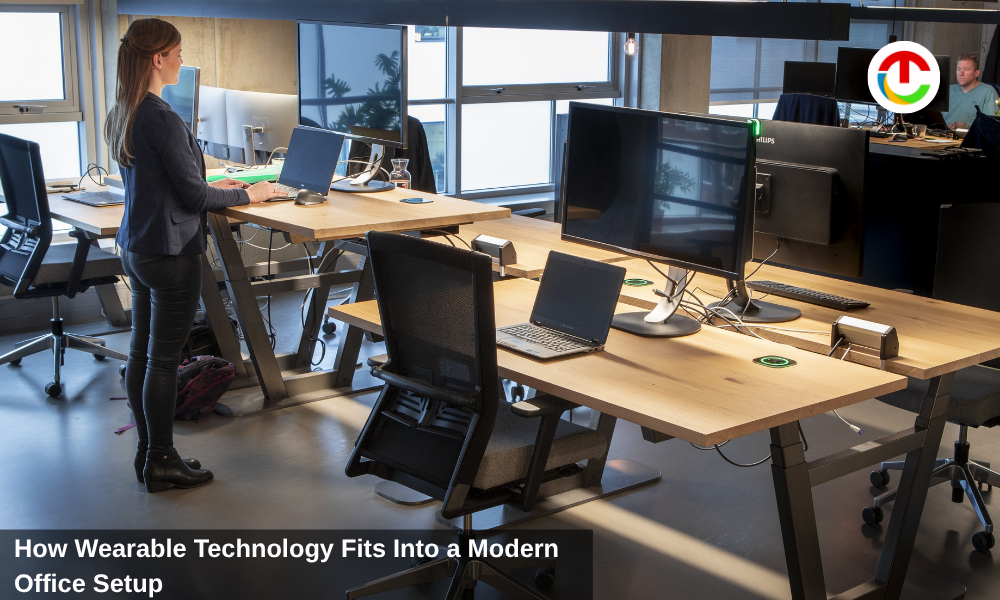
The modern office is no longer defined only by desks, chairs, monitors, and meeting rooms. It is shaped by how people communicate, switch between tasks, join calls, share updates, and move between focused work and collaboration. For many teams, the office is now a mix of physical space and digital tools.
Wearable technology has started to fit into that shift. It does not replace laptops, phones, or collaboration platforms, but it can support the small moments that make work easier. A smartwatch can help someone manage reminders without checking their phone. Wireless earbuds can make calls smoother. Smart rings can track sleep and stress. Smart glasses can help with hands free communication, quick visual capture, and practical demonstrations.
The key is choosing wearable tools that match real office needs. A modern setup should reduce friction, not add another device to manage. When wearable technology is used with purpose, it can support communication, productivity, wellness, and better knowledge sharing across the workplace.
Why Wearables Belong in the Office Conversation?
Office technology has usually focused on devices people sit in front of: computers, monitors, phones, projectors, and meeting room screens. Wearables are different because they move with the person. They can support work during calls, desk time, presentations, site visits, training sessions, and quick transitions between meetings.
That matters because office work is rarely one straight block of focus anymore. A person may spend the morning answering messages, join a video meeting, walk to another floor for a team discussion, review a product sample, take notes, and later catch up with remote colleagues. Wearables can help in those in between moments where pulling out a phone or laptop is not ideal.
They can also reduce small interruptions. A gentle watch notification can remind someone about a meeting without opening a phone full of distractions. Earbuds can help someone join a call from a quiet corner. Smart glasses can record a short demonstration without needing a separate camera setup.
Wearables work best when they support the existing workflow. They should connect with the tools the team already uses and help people work more comfortably.
1. Communication Tools That Move With the Employee
Clear communication is one of the main reasons offices invest in technology. In hybrid teams, people may be spread across the office, home, client sites, and different time zones. Microsoft describes Teams as a collaboration hub that brings together chat, meetings, calls, file sharing, and apps for business communication through its Microsoft Teams for business page.
Wearables can support this communication layer in small but useful ways. A smartwatch can show meeting alerts, quick messages, calendar changes, and call notifications. This can help employees stay aware without constantly checking their phones.
Wireless earbuds are already common in many offices because they make calls easier. Good earbuds can improve sound quality, reduce background noise, and let employees move during conversations. For people who spend hours in meetings, comfort and microphone quality can make a real difference.
Smart glasses may also become part of communication workflows, especially when visual context matters. They can help a person show what they are seeing during a walkthrough, product review, repair explanation, or office setup check. Instead of describing a problem from memory, an employee can share the view directly.
2. Smart Glasses and Practical Demonstrations
Some office tasks are easier to explain visually than in writing. A facilities manager may need to show how a meeting room system is wired. An IT specialist may need to demonstrate how to reset a device. A trainer may need to walk through a physical process. A designer may want to show how a display, prototype, or workspace looks from a user’s point of view.
This is where smart glasses can sit alongside other wearables. A smartwatch can help with reminders and quick notifications. Earbuds can support calls and voice notes. Meta glasses can help record practical demonstrations or show a first person view during office walkthroughs, equipment checks, onboarding tasks, or product reviews.
This kind of use can be helpful because it captures context. A phone video often requires one hand, a tripod, or another person. Smart glasses can make it easier to record what the worker is actually seeing while keeping both hands available for the task.
Still, offices need clear rules. Smart glasses should not be used to record people without permission, capture private screens, or film sensitive documents. For workplace use, the value comes from practical documentation, not constant recording.
3. Wearables for Focus and Time Management
The office is full of distractions. Messages, meetings, desk visits, emails, calls, and notifications can break concentration many times a day. Wearables can help manage this if they are used carefully.
A smartwatch can provide quiet reminders for meetings, break times, task changes, and focus sessions. Instead of keeping a phone on the desk, an employee can receive only the most important alerts on the wrist. This can reduce the temptation to open social apps or scroll through unrelated messages.
Some wearables also support timers and breathing prompts. For people who use time blocking, a watch timer can help separate deep work from admin work. For employees who forget to take breaks, gentle reminders can encourage movement and reset attention.
The risk is notification overload. If every message reaches the wrist, the wearable becomes another source of interruption. A good office setup should limit wearable notifications to what truly needs attention.
4. Supporting Health and Comfort During the Workday
Office work can be physically quiet but still tiring. Sitting for long hours, staring at screens, skipping breaks, and moving from meeting to meeting can affect energy and focus. Health focused wearables can help employees notice patterns before they become problems.
Smartwatches and fitness bands can remind people to stand, walk, drink water, or take short breaks. Smart rings can track sleep and recovery. Some devices measure heart rate trends, stress signals, or activity levels. These features can help people understand how their daily habits affect work performance.
Employers should be careful here. Wellness wearables can support employees, but they should not become tools for monitoring people too closely. Health data is personal. If a company offers wearable devices as part of a wellness program, participation should be voluntary and privacy should be clear.
For individual employees, the best approach is simple. Use wearables to support healthier routines, not to chase perfect metrics. A short walk, better sleep, or more regular breaks can make the workday feel more manageable.
5. Better Notes, Reminders, and Voice Capture
Many office ideas appear during conversations, hallway chats, desk visits, and quick team discussions. Wearables can make it easier to capture those thoughts before they are forgotten.
A smartwatch can be used for quick voice notes or reminders. Earbuds with a good microphone can help capture spoken notes while walking between meetings. Smart glasses may support hands free notes when a person is looking at a workspace, product, whiteboard, or physical setup.
This can be useful for managers, designers, consultants, trainers, sales teams, and operations staff. A person can record a quick reminder after a client call, note a problem with a room setup, or capture a task that needs follow up.
The important part is having a system. Notes should not stay scattered across devices. They should end up in a task manager, shared document, CRM, or project tool. Wearable capture is helpful only if the information later becomes easy to find and act on.
6. Improving Hybrid Meetings
Hybrid meetings can be awkward when some people are in the room and others are remote. Remote participants may miss side conversations, whiteboard notes, body language, or physical objects being discussed. Wearables can help in certain situations, but they need to be used thoughtfully.
Earbuds are the simplest support. They improve audio clarity and reduce background noise when someone joins from an open office. Smartwatches can help people manage meeting alerts without looking distracted. Smart glasses may help when a team needs to show a physical object, room, prototype, or setup to remote colleagues.
For example, a product team could use a first person view to show a prototype from different angles. An office manager could walk through a new workspace and record layout notes. A trainer could show how equipment is used without asking someone else to film.
But smart glasses should not become a default meeting camera. Most meetings still work better with standard video conferencing tools, shared documents, and screen sharing. Wearables are most useful when the meeting includes a physical environment that remote people need to understand.
7. Security and Privacy Must Be Built Into the Setup
Wearable technology can raise privacy concerns in the office. Devices with cameras, microphones, location data, or health tracking need clear boundaries. Employees should know what is allowed, what is not allowed, and how recorded material should be stored.
This is especially important in offices that handle client information, legal documents, financial data, medical records, product prototypes, or confidential strategy work. A short video that seems harmless could accidentally capture a whiteboard, screen, badge, or private conversation.
Companies should create simple guidelines before wearables become common. These rules might cover where recording is allowed, how consent works, which meetings cannot be recorded, and where files should be saved. The guidelines should be easy to understand, not buried in a long policy nobody reads.
Employees also need good habits. If a wearable has a camera or microphone, treat it with the same care as a phone camera. Ask before recording, avoid sensitive areas, and keep work footage in approved systems.
Choosing Wearables for Different Office Roles
Not every role needs the same wearable tools. A sales manager may benefit from a smartwatch and earbuds for calls and reminders. A trainer may benefit from smart glasses for demonstrations. An operations lead may use wearables for task notes and walkthroughs. A designer may use them to capture visual references during office setup or product reviews.
For desk based employees, simple tools are usually enough. Earbuds, a smartwatch, and good notification settings can support meetings and focus. For field based or hands on roles, smart glasses or voice first tools may offer more value.
Before buying devices for a team, companies should ask what problem they are solving. Is the goal better communication, easier training, faster documentation, safer hands free work, or improved wellness? The clearer the goal, the easier it is to choose the right wearable.
It is also wise to test wearables with a small group first. Employees can give feedback on comfort, battery life, setup, privacy, and whether the device actually helps.
Comfort and Battery Life Decide Daily Use
A wearable can have impressive features and still fail if people do not want to wear it. Comfort is especially important in office settings where the device may be used for many hours.
For watches and rings, fit and battery life matter. For earbuds, comfort, microphone quality, and easy pairing matter. For smart glasses, frame weight, style, lens options, and battery performance matter. If a device feels awkward, employees will use it less.
Charging routines also matter. A wearable that dies halfway through the workday becomes frustrating. Devices should fit naturally into daily habits, such as charging overnight, during lunch, or in a case between meetings.
The best wearable office tools are the ones employees barely have to think about. They work in the background, support the task, and do not demand constant attention.
Wearables Should Fit the Office Culture
Technology adoption is not only about features. It is also about culture. In some offices, wearable tools may feel normal quickly. In others, people may feel uncomfortable with cameras, microphones, or constant notifications.
Leaders should introduce Wearable Technology carefully. Explain the purpose, set boundaries, and give people choice where possible. A wearable used for training or documentation should be framed as a practical tool, not as a way to watch employees.
Office culture also affects etiquette. Employees should know when to remove earbuds, when to silence watch notifications, and when recording is inappropriate. Small behaviors can shape whether wearable technology feels helpful or rude.
When the culture is clear, wearables can blend into the office setup more naturally.
A Practical Layer in the Modern Office
Wearable technology fits into a modern office setup when it solves real work problems. It can help with communication, reminders, voice notes, health habits, hybrid meetings, training, and practical demonstrations. It is not the center of the office, but it can become a useful layer around the tools people already use.
The Wearable Technology strongest office setups are not filled with devices for the sake of it. They are designed around how people actually work. If a wearable helps someone communicate faster, capture a process more clearly, stay focused, or move through the day with less friction, it has a place.
Smartwatches, earbuds, rings, and smart glasses as Wearable Technology each have different roles. The best choice depends on the team, the task, and the privacy needs of the workplace. Used thoughtfully, wearable technology can make the office feel more connected, flexible, and practical without making work more complicated.
Also Read :- Wearables Are Redefining Technology Through Lifestyle Experiences