Most advice about aging parents sounds the same: worry more, call more, visit more.
But nobody mentions that the right gadget can do some of that worrying for you.
One in four adults over 65 falls every year, and less than half tell their doctor. Your parents will not always say when something goes wrong. Technology can. But the wrong device ends up in a drawer, and the wrong camera ends up unplugged.
Here is what works in real homes, from fall detection to smart locks, and how to keep privacy intact while you do it for homes safer for aging adults. Because no senior citizen wants to feel like a baby being monitored and constantly told what to do, so these devices do it all but seamlessly, with respect to their personality.
Source: Pexels
Lively from Best Buy Health: A Medical Alert Your Parents Might Actually Wear
Medical alert pendants are the basic tech-gadget widely used among the elderly population (but families also buy them for younger children or adults with disabilities). Lively from Best Buy Health and similar gargets offer a wide line of pendants with integrated slip and fall signals, button alerts, and durable battery longevity.
It looks like a simple gadget, it’s affordable, and it has the alert function that everyone needs. Giving out a GPS signal at the location, depending on the model you get.
How Fall Detection Works?
Say your father slips while getting out of the shower.
The Mobile Plus is waterproof, so he can wear it in there. With the fall detection add-on, it calls an agent automatically. If he does not cancel the call, someone answers within seconds. GPS shows where he is if the fall happens on a walk. He does not need to reach a button or a phone.
iGuardStove and Other Smart Shutoffs for the Kitchen
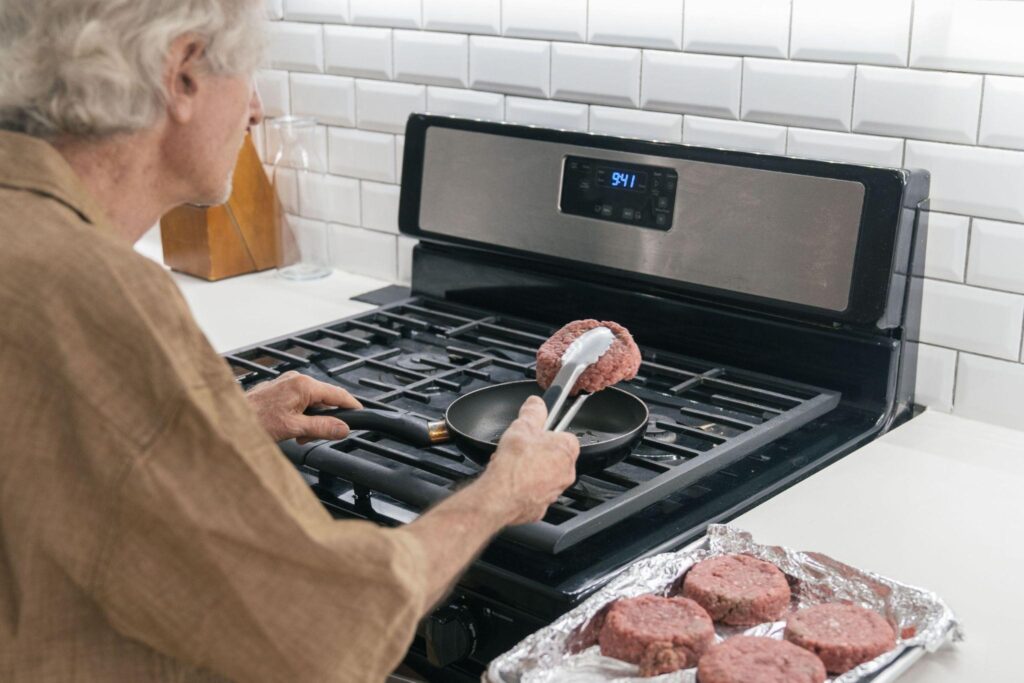
Kitchens cause a different kind of worry with the elder population, who tend to forget a task entering from one room to the other.
The iGuardStove is built for exactly that. It cuts power to the stove when nobody is nearby. Memory is not a safety plan, and this does not rely on it.
For kettles and space heaters, a smart plug with auto shutoff does a similar job. Space heaters deserve the same care in winter. Set it once and forget it.
Pill Dispensers That Tell You When a Dose Is Missed
Medication mix-ups are common and easy to miss.
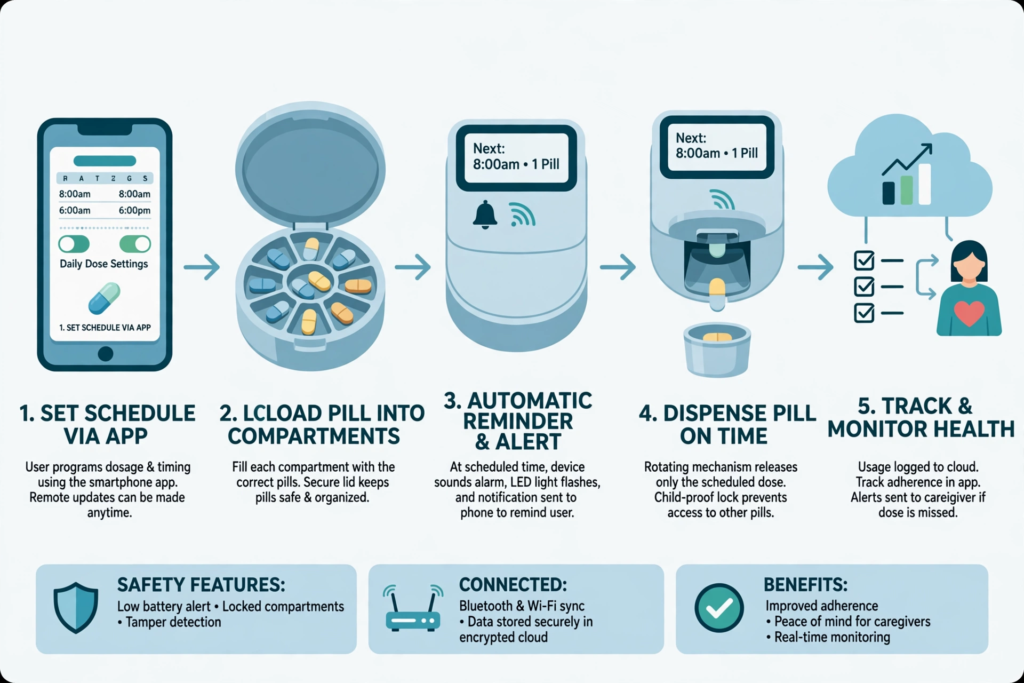
A dispenser from Hero or MedMinder releases the right pills at the right time. Some models keep the other doses locked away, which makes a confused double dose much harder.
If a dose is skipped, it alerts a family member/caregiver.
Picture a 78-year-old who lives alone and forgets her evening pills. Her daughter gets a ping and makes a two-minute call. Compare that with the damage of finding out three days later.
Setup and fill-ups are manual, but they mostly take an afternoon, mostly for filling the trays. After that, it runs itself.
Source: MetaAI
Smart Locks, Motion Lights, and the Apple Watch
These three cover the small stuff that adds up.
- Smart locks from August or Yale let a neighbor in with a temporary code, so nobody hides a spare key under the flowerpot.
- Philips Hue motion sensors turn lights on for midnight bathroom trips, which means nobody fumbles in the dark.
- And if your senior already wears an Apple Watch, it can detect a hard fall and call emergency services if he does not respond.
You may not need to buy a new device and wait for that Black Friday deal at all!
Echo Show: Video Calls Without the Tapping
Many seniors find phone screens fiddly.
An Amazon Echo Show takes a call hands-free. Your mother says, “Alexa, call Anna,” and the screen does the rest. With her permission, family can also drop in, which beats an unanswered phone and an evening of dread.
Set the permissions together so it never feels like an intrusion.
Door Sensors vs Cameras: Keeping Privacy Intact
Parents refuse help when they feel watched, and that is a reasonable reaction.
The best setups collect only what they need, and often that is very little.
Why Sensors Win?
A door sensor says the front door opened at 2 a.m. A camera shows the whole living room. Choose the sensor. A wearable like Lively has no camera at all, so help comes when your parent asks or a fall is detected. Keep cameras out of bedrooms and bathrooms.
Do the Talk Before the Installation
- Sit down first and show the device.
- Say what you will see and what you will not.
- Agree that one person gets the alerts, not five siblings.
- Let your parent veto one thing, and accept it.
- Revisit the setup every few months—because needs change.
Building Your Setup, One Device at a Time
Start with the thing they already do every day for the homes safer for aging adults.
A smart plug on the kettle, for example, can send you a small “kettle used” ping every morning. No camera, no microphone, no one watching. Just a sign that Dad’s day began as usual. If the ping never comes, you call. That is a very different kind of worry.
Pair it with a Lively wearable for falls, add a tracker tag on the house keys, and put a medical ID on the phone’s lock screen.
Four small things, and none of them needs a manual. Your parents never signed up to be monitored. They signed up to stay home. Build the setup around that, and they will keep it switched on for homes safer for aging adults.
Also Read : – How Energy-Efficient Home Systems Influence Buyer Decisions