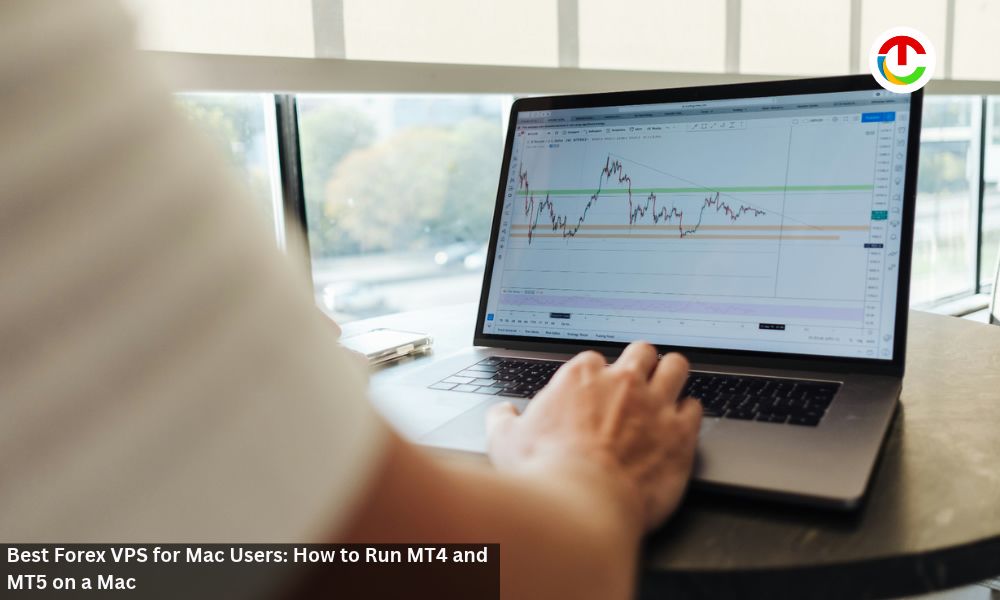
Despite MetaTrader having initially been developed for Windows, Mac users can also feel the impact of this. Both chart-reading and trading can be carried out on a MacBook. Yet for the usage of Expert Advisors, copy trading, and multiple terminals, a Windows PC needs to stay on for the whole week. Unfortunately, a laptop frequently needs to be turned off, is mobile and regularly needs to be restarted for software updates, so is not ideal for this.
Below we discuss the three ways to utilise MT4 and/or MT5 on a Mac. We then evaluate six forex Virtual Private Server (Forex VPS ) services, showing how they can all be controlled from a Mac and discussing factors to take into consideration when doing so.
Three Ways to Run MT4 and MT5 on a Mac
1. The MetaQuotes Installer for macOS
MetaQuotes has developed an installer for running MetaTrader on a Mac. It analyses the machine, automatically downloads Wine and then installs MetaTrader. Like other Mac programmes, MetaTrader can then be opened. Therefore, this is the fastest solution to utilise MT4 and/or MT5. Nevertheless, you are in effect running a Windows programme through a bridge. In addition, this solution can only be used if the Mac has power and is connected to the internet.
2. The MetaTrader 5 App on Apple Silicon Macs
Furthermore, there is a MetaTrader 5 App for the App Store that is compatible with Macs with an M1 or newer processor. Basically, it is the equivalent of the MetaTrader App for iPads, but on a bigger display. It can be used to analyse and manually trade. However, it lacks the full desktop functionality needed for automated trading.
3. A Windows Forex VPS Accessed from macOS
Lastly, a Windows Server can be used in a data centre to run MetaTrader. Again, this can then be accessed and managed from a Mac using remote desktop technology. Particularly effective for this is Microsoft’s free Windows App (previously known as Microsoft Remote Desktop). Not only can trading continue on your terminals and EAs when your MacBook is closed, but you also benefit from authentic Windows versions of MT4 and MT5 (rather than imitations or mobile versions).
How We Evaluated These Providers?
Considering the requirements of a Mac owner who wishes to automate MetaTrader, each VPS service was assessed according to its Mac usability and its appropriateness for utilising MT4 and/or MT5.
- Mac access: whether you can connect from macOS by remote desktop, or manage terminals without any Windows tools.
- Location relative to brokers: whether servers sit in the cities where forex brokers usually host their trade servers.
- Resources per terminal: CPU, RAM and storage per plan, and whether plans are sized by MT4 or MT5 terminal count.
- Windows environment: the Windows version, administrator rights and support for other platforms such as cTrader.
- Terms and support: trial options, backups and support during trading hours.
Quick Comparison
| Provider | Type of service | Server locations | Access from a Mac |
| VPSForexTrader | Forex VPS and forex dedicated servers | London, New York, Amsterdam, Hong Kong | Encrypted remote desktop from macOS |
| MetaTrader VPS (MQL5) | Hosting built into the MetaTrader terminal | Selected automatically near the broker | Managed from the MetaTrader terminal |
| Kamatera | Configurable cloud servers | Global cloud data centres | Remote desktop to a Windows server |
| is*hosting | General VPS with a forex plan line | USA, UK, Netherlands, Japan, Switzerland and more | Remote desktop to a Windows server |
| MonoVM | General VPS with a forex plan line | Multiple regions | Remote desktop to a Windows server |
| Chocoping | Forex-focused VPS | London, New York, Amsterdam | Remote desktop to a Windows server |
The 6 Forex VPS Providers for Mac Users
1. VPSForexTrader
VPSForexTrader has provided forex-focused Windows VPS and dedicated servers since 2011. Their servers are situated near brokers in London, New York, Amsterdam and Hong Kong. The Smart, Boost and Max packages allow for a maximum of 4, 7 and 10 MT4/MT5 terminals respectively to be run on Windows Server 2025. Full administrator privileges are given.
Encrypted remote desktop access is available from both Mac and iOS devices. Consequently, a MacBook and iPhone can access the same forex VPS. Back-up is also provided. Moreover, customers can take a 3-day trial of the service for 0.99 USD with the Smart package.
What we like
- Remote desktop access from macOS and iOS
- Plans sized by MT4/MT5 terminal count
- ECC RAM and no resource overcommitment on every tier
Where it falls short
- Windows-only lineup, which doesn’t suit Linux-based trading bots
- The 0.99 USD trial covers only the Smart plan in three locations
2. MetaTrader VPS (MQL5)
MetaTrader VPS is a VPS service provided by MetaQuotes. Within an MT4 or MT5 desktop trading terminal, you can enrol for this service. You then migrate your charts, EAs and signals to a cloud-based MetaTrader replica. Where possible, it even suggests or automatically chooses the most appropriate hosting location based on closeness to your broker.
Interestingly, Mac users do not need to use remote desktop software. Yet, only one trading account can be associated with a subscription. Also, full Windows desktop access is not available. Finally, EAs that call upon additional DLL files will not function.
What we like
- No remote desktop app needed
- Automatic selection of a hosting point near the broker
- Set up in a few clicks from the terminal
Where it falls short
- One subscription per trading account
- DLL calls are not permitted, which rules out some commercial EAs
- No space for other platforms or tools
3. Kamatera
Kamatera is a global cloud hosting business that also has a particular Forex VPS section. Its key strength is flexibility – meaning that a server’s CPU, RAM and storage can swiftly and easily be expanded or reduced. Being able to support both Windows and Linux, more than one trading platform (such as MetaTrader, cTrader and TradingView) can be hosted on the same server.
As with other Windows servers, Kamatera can be accessed from a Mac using remote desktop. Yet, it is up to you to set the server’s resources. Kamatera is not built specifically for MetaTrader, so its packages are not structured according to the number of MetaTrader terminals that can be supported.
What we like
- Very flexible configuration and scaling
- Choice of Windows or Linux
- Large network of data centres
Where it falls short
- Plans are not sized by terminal count
- More setup work than a forex-focused provider
- You need to check which data centre is closest to your broker
4. is*hosting
is*hosting is a broad VPS service that also has a niche forex service. Servers are positioned in various locations such as the USA, UK, Netherlands, Japan and Switzerland. This can be beneficial if your broker is not situated in London or New York. Forex VPS packages employ KVM virtualisation. They all include a 1 Gbps port and weekly back-up. Windows is one of the available operating systems.
Nevertheless, the most basic Windows package only has 2 GB of RAM. If you are trading on more than one terminal or using demanding EAs, it is likely that you will need to move to a more premium package, particularly as you begin to add charts to your trading.
What we like
- Wide choice of countries, including Japan and Switzerland
- Weekly backups on its listed forex plans
- 1 Gbps port on the listed plans
Where it falls short
- Entry plans are small for multi-terminal setups
- General-purpose host rather than a MetaTrader specialist
- Plan details vary by location
5. MonoVM
Aside from Forex VPS, MonoVM also provides VPS, dedicated servers and domains. On its Forex page it emphasises that DDoS protection is provided. Packages exist for those who wish to run one terminal, and for individuals who use multiple EAs on separate trading accounts.
As with many general hosting services, it is recommended that you ascertain exactly which data centre a chosen package is in. Often, how close the VPS is to your broker’s server will be more crucial for trading purposes than the exact server specification. Indeed, you will generally want your VPS to be as geographically close as possible to your broker’s server.
What we like
- Forex plans aimed at MT4, MT5 and EA users
- DDoS protection listed on forex plans
- Several plan sizes to choose from
Where it falls short
- Broad hosting catalogue rather than a trading-only focus
- Location details need checking plan by plan
- Less information on terminal capacity per plan
6. Chocoping
Chocoping is a niche forex VPS service. It has been operating for around twelve years and has data centres in London, New York and Amsterdam. Fixed server resources are provided 24 hours a day. As listed in November 2026, its new packages start at 7.87 USD per month – one of the most affordable rates in this evaluation.
Any trading platform can be installed, and there is also support to assist with this. Yet, there are fewer server locations available than with bigger companies. In addition, the more economical packages are largely only appropriate for one or two terminals and so are not as fitting for traders with extensive EA usage.
What we like
- Forex-focused service with a long history
- Low entry price for small setups
- Data centres in three major broker hubs
Where it falls short
- Only three locations, with no option in Asia
- Entry plans are limited for multi-terminal setups
- Less published detail on hardware and failover
How to Set Up a Forex VPS from Your Mac?
1. Investigate your broker’s server location.
Usually, a broker’s server will be in London, New York or Amsterdam. Ideally, then, you should select a VPS in the same city in order to ensure the most direct path for your trading orders.
2. Obtain remote desktop software.
Microsoft provides a free Windows App for Macs which can be used to log onto a Windows Server. You will require the login information that your VPS service provider gives you for this.
3. Install MT4/MT5 on your VPS.
Using a remote desktop, log on to your broker’s website. Then, log into your trading account and link your EAs.
Allow the VPS to trade.
Following the deployment of your trading terminals on a VPS, your Mac merely functions as a monitor. Trading can still occur whether or not your laptop is shut and whether or not it is being restarted. Moreover, should your Mac become sluggish following a macOS update, your VPS will continue to trade, allowing you to address this problem.
Which Option Fits Which Trader
- Several EAs, copy trading or multiple terminals: a forex-focused VPS sized by terminal count, such as VPSForexTrader, keeps setup simple and leaves room to grow.
- A single account with one simple EA: MetaTrader VPS skips remote desktop altogether, as long as the EA doesn’t use DLL calls.
- Custom setups with mixed software: Kamatera suits traders who want to configure every resource themselves.
- Brokers outside the main hubs: is*hosting’s wider list of countries helps when your broker’s server is in Japan or Switzerland.
- Manual trading only: the MetaTrader app on an Apple silicon Mac may be all you need if you don’t automate anything.
Frequently Asked Questions
1. Can I run MT4 and MT5 natively on a Mac?
Not as fully native Mac software. Although the MetaQuotes installation enables MetaTrader to be run on a Mac, it does so through Wine, which imitates a Windows environment. Likewise, the App Store MetaTrader application is basically the iPad version. Typically, traders transfer their terminals to a Windows forex VPS so that they can benefit from the full Windows desktop version for the duration of their trading day.
2. Which remote desktop app should I use on a Mac?
Microsoft’s Windows App (previously known as Microsoft Remote Desktop) is free to download from the Mac App Store. It can be used to log on to a Windows Server – the kind of server predominantly used by forex VPS services.
3. Does a VPS make my trades more profitable?
No. Although a VPS does aid in lowering latency and ensures that your trading platform remains live, performance will continue to be influenced by your trading strategy, the markets and risk management.
Final Thoughts
Where manual trading is concerned, either the MetaTrader Mac installation or App Store application may be sufficient. Yet, if you are using EAs, undertaking copy trading or trading on more than one terminal, the most dependable solution for ensuring continuous operation is to place your trading platform on a Windows forex VPS in your broker’s city. This can then be managed from your Mac using a remote desktop.
Also Read :– Contabo Vouchers for IT Teams That Need Low-Cost Staging and Test Servers