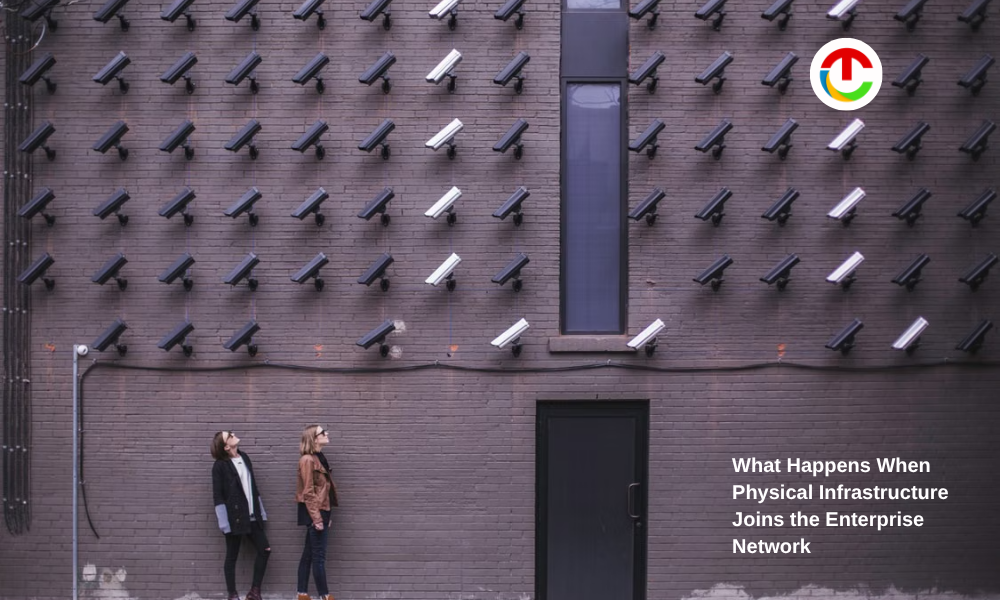
Your enterprise network now reaches beyond laptops, servers, and cloud apps. Building controls, access systems, sensors, and security tools can also depend on digital connections. That changes what you need to see as a CIO.
A system may sit in a facility and still affect daily operations, security, or business continuity. You don’t need to own every physical system. You need to know which systems matter, how they connect, who manages them, and what happens when they fail.
That means looking beyond your traditional IT assets. It also requires closer coordination between IT, facilities, security, and outside vendors. The lines between these teams are getting harder to draw as more physical systems connect to enterprise technology.
How Physical Systems Become Part of Your IT Risk?
You can no longer draw a clean line between IT and operational technology. Physical systems now depend on networks, software, remote access, and shared data.
Scott Reynolds, 2025 ISA president, points to the security risk that comes with this shift. He says IT security risks can spill into OT networks as the two environments become connected.
The World Economic Forum says the separation between IT and OT is becoming harder to maintain. That makes network segmentation more important because it can limit how far a breach can spread.
The report points to a governance gap. Only 32% of organizations with industrial environments actively monitor OT with dedicated security tools. Just 36% place OT security under the CISO, while only 16% report OT security issues to their boards.
That gap can show up inside your own facilities. A building control system can sit with facilities while still relying on network rules, user credentials, software updates, and vendor access.
So, bring those dependencies into your risk reviews. Map the systems that connect to your network, then record who owns them and how they’re secured.
Why Entry Systems Now Affect Network Decisions?
Physical security has to fit the way people move through your facilities. Screening speed becomes a technology concern when large numbers of people enter at once. DHS reported that TSA screened 3 million people in one day in 2024.
DHS’s Screening at Speed program is testing high-definition imaging and retrofit systems that can improve threat detection while reducing delays. One approach uses millimeter waves to create high-resolution data for threat detection.
High passenger volumes give screening teams a tough operating constraint. Your facilities can face a similar issue when large groups enter at once. Long queues can slow entry and place more pressure on security staff.
The screening method also becomes part of your facility design. Walk-through weapons detection lets people pass through without stopping to remove their belongings. For sites with steady foot traffic, OPENGATE detectors can fit this type of screening setup.
GXC Inc. explains that the system uses electromagnetic fields to analyze metal signatures as people pass through. You can then assess that detection method alongside the site’s layout and security procedures.
You should still review placement, staffing, maintenance, response procedures, and system connections before deployment.
Who Owns a System Once It Joins the Network?
Once a physical system connects to your enterprise environment, you need clear ownership. Facilities may buy it, security may run it, and IT may provide its network access. Gaps appear when those responsibilities aren’t settled early.
NIST’s Cybersecurity Framework 2.0 gives you a structure for assigning those responsibilities. Its core functions cover governance, identification, protection, detection, response, and recovery. NIST also points to roles, asset management, supply-chain risk, and oversight as part of cybersecurity risk management.
Apply those ideas before you deploy a connected physical system. Decide who approves network access and who receives security alerts. Set clear duties for updates, remote access, vendor support, and incident response.
Bring IT and security teams into procurement early. Settle access and ownership questions before the system becomes part of your environment. You should also decide what happens when a vendor stops supporting a system.
Set a replacement path, record key contacts, and keep access rights current. A system can remain in service for years after the team that bought it has moved on. That work also gives facilities teams a clear path when something goes wrong.
What Your Asset Inventory Needs to Show?
You can’t manage connected infrastructure if you don’t know what exists. Your standard IT asset list may miss systems managed by facilities, security teams, or outside vendors.
So, build an inventory that records each system, location, business purpose, owner, vendor, network dependency, and support status. Record the business impact of a failure too.
The U.S. Government Accountability Office found that federal agencies faced deadlines for inventorying covered IoT devices. By July 2024, 9 agencies said they would not meet the required inventory deadline.
GAO also found errors in reported cybersecurity waivers. The finding shows why inventory records need clear ownership and regular updates. Review the inventory whenever you add, remove, or change a connected system.
Include systems that connect through vendor platforms or shared networks. Record those links because a problem in one system can affect another.
Start with systems that affect access, safety, operations, or key services. Map their connections and review the highest-impact assets first.
Commonly Asked Questions
1. What should CIOs ask vendors about connected physical systems?
Ask how the system handles authentication, software updates, remote access, logging, and security alerts. You should also ask how long the vendor supports each component and what happens when support ends. These questions can expose technology dependencies before they become procurement or security problems.
2. How can physical infrastructure affect business continuity?
A connected physical system can interrupt operations when it loses power, connectivity, software support, or access to a required service. Consider what happens if the system becomes unavailable during a busy period. Define manual workarounds, recovery steps, and escalation contacts so teams can respond without guessing.
3. When should CIOs involve IT in facility technology decisions?
Bring IT into the discussion when a physical system needs network access, user accounts, remote connectivity, data exchange, or ongoing software support. Early involvement helps you assess technical requirements before purchase. It also gives facilities teams a clear path for handling technology issues after installation.
Connected Infrastructure by the Numbers
| IT/OT convergence and governance | 32% active OT tool monitoring; 36% under CISO oversight; 16% board-level reporting. |
| High-volume passenger screening | 3 million daily screenings (TSA record); millimeter-wave retrofit deployment. |
| Cybersecurity risk management framework | CSF 2.0 framework; 6 core functions including dedicated “Govern” (GV) mandate. |
| IoT inventory and compliance gaps | 9 non-compliant agencies past deadline; documented waiver reporting discrepancies. |
What This Means for Your Technology Strategy?
Your enterprise network now reaches into parts of the workplace that once sat outside the CIO’s view. That changes how you plan, secure, and recover from failures.
You don’t need to turn every facility system into an IT project. You do need visibility into the systems that can affect your people, operations, and security.
As more physical infrastructure connects to enterprise technology, your risk map needs to follow it. That gives you a clearer basis for procurement, security planning, and recovery when something goes wrong.
Also Read :- Where Cultural Narrative Belongs in Brand Strategy