Imagine a new hire on a factory floor. They’ve watched a video and signed a form. Now a real hazard appears. Will they know what to do? Most safety programs can’t answer that until it’s too late.
Training matters most in the moments no one can plan for. A spill, a fire alarm, or a faulty machine doesn’t give anyone time to check a manual. People often fall back on what they’ve practiced.
Virtual reality offers a different path. It lets employees practice risky situations in a safe, controlled space. That’s why technology leaders are paying attention. Here’s how it works, what to ask before you build a program, and how to start sensibly.
Why Traditional Safety Training Struggles to Prepare for Hazards?
Slides, videos, and checklists have a place. But they don’t always prepare people for the moment a hazard appears.
The Gap Between Classroom Lessons and Real Life
The stakes are real. The U.S. Bureau of Labor Statistics recorded 5,070 fatal work injuries in the United States in 2024. Every one of them represents a person and a family. Better preparation can’t prevent everything. But it’s worth asking whether training is realistic enough to help.
What Companies Want From Training?
Most organizations look for the same few things when they rethink safety training. The goal is to prepare people well without adding risk.
- Lessons that employees remember under pressure.
- Practice that doesn’t put anyone in danger.
- A consistent experience for every new hire.
- A way to update scenarios as processes change.
These goals explain why many teams are now looking at VR. It can address several of them in one place.
How VR Lets Employees Practice Dangerous Situations Without Real Risk
The big advantage is simple. In VR, a mistake costs nothing, and the lesson can stay with the trainee.
1. Safe Practice for Rare but Serious Events
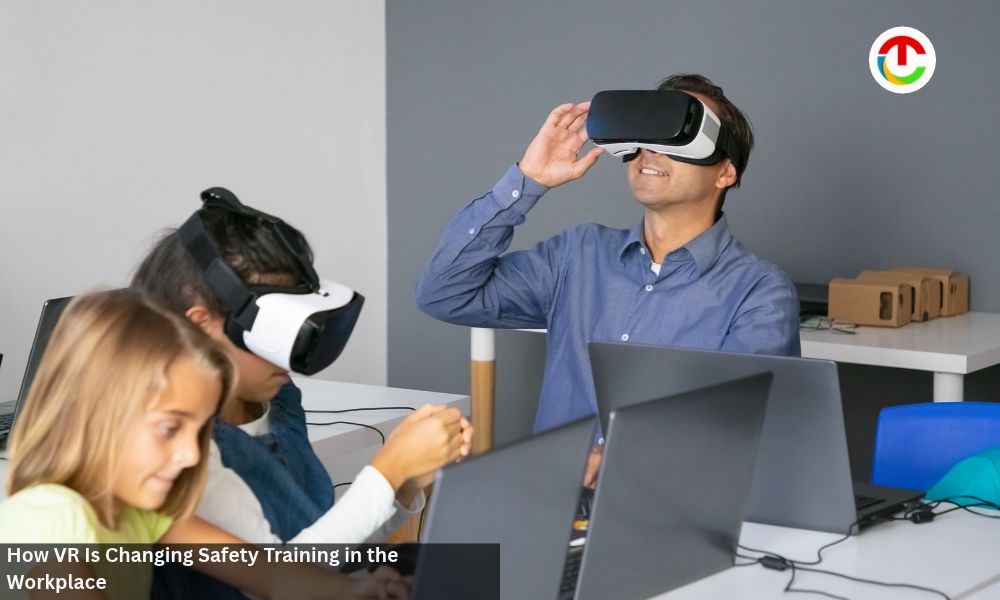
Some emergencies are too dangerous to stage in real life. A fire, a chemical spill, or a faulty machine can’t be recreated safely at work. In VR, a trainee can walk through the scene, make decisions, and see the results. Then they can try again.
Repeat practice is another benefit. Employees can run the same scenario several times. They can also practice at their own pace. That matters for shift workers and remote sites, where getting everyone into one room is hard.
2. Scenarios Companies Often Simulate
Companies tend to start with the situations that are hardest to teach on paper. Typical examples include the following.
- Fire and evacuation drills.
- Equipment operation and lockout steps.
- Spotting hazards on a job site or in a warehouse.
- Onboarding walkthroughs for new facilities.
What IT Leaders Should Ask Before Building VR Training?
A good VR Training program is as much a technology project as a training one. A few early questions can save time later.
Questions Worth Asking Early
- Which hazards matter most, and which are hardest to teach today?
- Where will headsets be stored, charged, and cleaned?
- How will content be updated when procedures change?
- Can the program connect to your existing learning systems?
Data and security deserve a place on that list too. Ask what information the system collects and where it’s stored. Check who can access it. Your IT team should be part of the conversation from day one.
Choosing a Partner for the Build
Most companies don’t build VR content in-house. They bring in a studio. When you compare options, look for VR production services that cover planning, 3D design, and testing. Ask to see samples. Ask how scenarios are built from your real procedures. And ask who owns the content when the project ends.
How to Start Small With a Pilot That Teams Will Actually Use?
You don’t need to convert your whole safety program at once. A focused pilot is easier to manage.
1. Pick One Scenario and Test It
Choose a single hazard that’s hard to teach today. Build one short scenario around it. Let a small group try it and share feedback. Keep sessions short, so people stay comfortable and focused. Some people feel dizzy in headsets, so offer a seated option and let anyone step out at any time.
2. Look at the Wider Options
Studios describe their offerings in different ways. EnDesign, a Toronto studio, lists VR training simulators for safety scenarios such as firefighting, along with onboarding experiences, on its VR page. Reading a few pages like this helps you see what’s possible and what to ask for.
3. Get Managers and Employees Involved
Training works best when supervisors back it. Explain why the scenario exists and what it covers. Invite employees to suggest situations that worry them most. That feedback often points to real gaps.
Measure What Matters
Once the pilot is running, it helps to track a few simple signals. They show what’s working and what needs adjusting.
- Employee feedback on how realistic it felt.
- Completion rates and time spent in training.
- Questions managers hear after the session.
Review these after each round and adjust the scenario before you expand.
Final Thoughts on Making Workplace Safety Training More Realistic
VR Training won’t replace good supervision, clear procedures, or real-world drills. But it can add something classrooms struggle to offer: safe practice for risky moments. Start with one clear need, ask practical questions, and test before you scale. Done well, training can feel less like a form to sign and more like preparation people can use. This article is general information rather than safety or compliance advice, and your own program should follow guidance from qualified professionals.