Anyone who has cut out a photo with remove.bg knows the appeal. Upload, wait a moment, done. So why look elsewhere?
Because jobs differ. Say a seller has fifty listings due on Friday. Uploading photos one by one eats the whole afternoon. By hour three, the pile has barely shrunk. Designers often need the image open in an editor the second that cutout lands. And some people just like to compare before settling on a tool.
Seven free options follow. They aren’t ranked, since the best choice depends on the task at hand. One is the Designkit free background remover, which is simple to try on your own pictures.
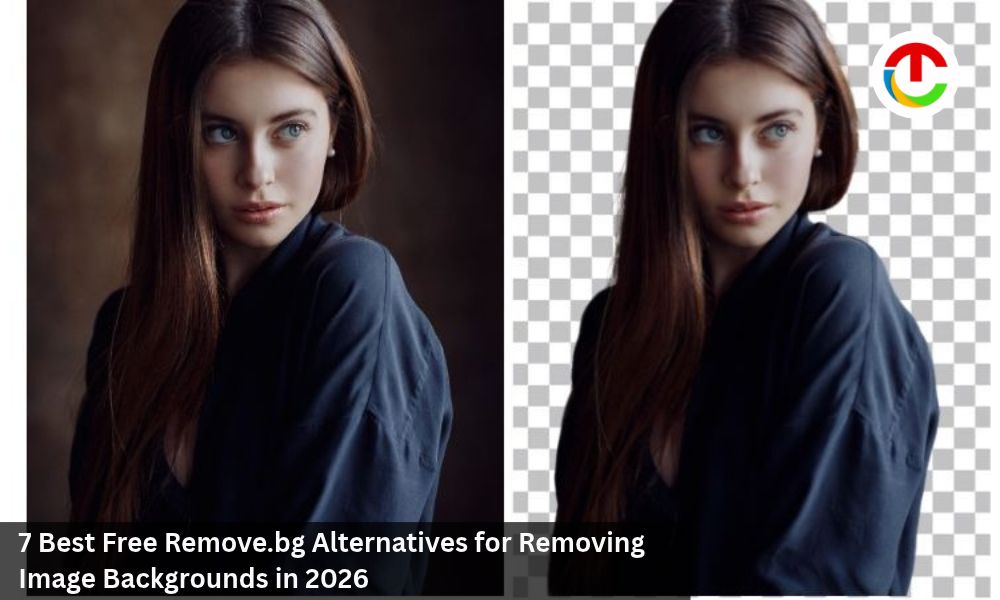
portrait sample before and after background removal
Why Look Beyond remove.bg?
Most searches come down to a handful of frustrations. Single-image tools drag when a catalog is large. Some people want a fresh backdrop the moment the cutout is done. Others get stuck on download rules, because file size, format, and login requirements vary a lot. And a product shot behaves nothing like a portrait or a logo. Same tool, same settings, very different results. That surprises people.
Any tool worth switching to should solve one of those. Your weekly photo count decides a lot. Ten images or four hundred? Different tools. That number matters more than any feature list. Be honest about it before comparing anything.
What “Free” Really Covers?
The word hides a lot. Plenty of tools let you try them for free, then stop being free. Others show the preview happily, then want a login or a card at the download button. Some cap the number of images per day. Others limit file size or leave PNG out. Plenty of people only notice at the last step. They finish the cutout, hit download, and meet a wall.
File types matter as well, and WEBP gets left off some upload lists. Upload something awkward from your own shoot, not the polished sample on their front page. Demos are picked to look good.
Rules shift without notice. Open each tool’s page on the day you use it.
Seven Free Tools Worth Testing for Remove.bg
1. Designkit
Designkit is an AI design platform for online sellers, and the background remover is clearly built with that crowd in mind.
On the free side, up to 100 removals per day are allowed. Batches go up to 15 images, with no watermark. Download All gathers every finished file, so there’s no saving fifteen images one at a time. Uploading and previewing need no login. Full-resolution downloads do ask for a quick one. JPG, PNG, and WEBP files all work. Fifteen photos per round is enough for a small product line in a single pass.
The routine is short. Drop in a batch, wait, check each cutout, then grab everything with one click. A seller restocking every week will notice the saved effort fast.
Product photos suit it best. In side-by-side tests, objects on cluttered backgrounds came out with clean edges. Glass, mesh, and other see-through items held their shape. Each image finished in under three seconds in testing. Afterward, a new background color and an export size for marketplaces can be picked. It is one of the best remove.bg software
A cluttered background removed from a product photo
A product photo ready for Download
Edge detail on a semi-transparent object
Shop owners and catalog teams with stacks of product photos will get the most out of it.
2. Photoroom
Photoroom gives free background removal on the web and in its mobile apps. The editor reaches further, adding new backdrops and retouching tools. The web version works on one image at a time, so it suits quick jobs better than big batches. For the occasional cutout, that’s plenty. The mobile apps help when the photos live on a phone anyway.
3. Pixelcut
Pixelcut takes JPG, PNG, and HEIC files. That means iPhone photos go straight in without conversion. Once the cutout is done, a color or image can sit behind the subject. Batch editing belongs to the paid plan, though single cutouts need only a few clicks. Phone-first creators will like it. It is a best alternative for remove.bg .
4. Pixlr
Pixlr accepts many images at once and packs the results into one ZIP. The free plan only lets you export so many images a day. So, scroll through every single result first, then keep only the ones actually worth saving.
5. Adobe Express
Adobe Express takes JPEG, PNG, or WEBP up to 40 MB and gives you the cutout as a PNG. Next stop is a full editor with templates. Photos go through one by one. Anyone already working in Adobe’s tools will feel at home.
6. Canva
Canva lets you try its background remover for free. Regular use needs Pro. The draw is the editor around it, so a finished cutout drops right into a poster or social post. It mostly makes sense for people who already subscribe to Pro.
7. Picsart
Picsart offers a trial of its remover, with a paid plan for longer use. Its editor holds filters, text tools, and AI effects, which pays off when every photo gets restyled anyway. Anyone who edits photos heavily for social posts will find plenty to use.
How to Choose?
Let the job itself pick the tool. A pile of product photos calls for free batches and one-step downloads, which is where Designkit fits. A single quick cutout is easy in Photoroom. Pixelcut handles iPhone HEIC files. When the cutout is only step one of a design, Adobe Express, Canva, or Picsart make sense. None of these is a bad pick. They just solve different problems.
One habit helps whatever you pick. Send the same three photos through a couple of tools. Zoom in close on edges, halos, and transparency. The tool that leaves the least cleanup wins. Start small. Try five photos, not five hundred.
Final Thoughts
remove.bg is still a solid tool. It just isn’t alone anymore. Free options now cover batches, large files, and built-in editors.
For sellers with long product lists, free batches and a single download button save real time. Try Designkit’s Free Background Remover with your own product photos and see how it fits your listing routine.
Also Read :- How to Use a Green Screen and Get Professional Results