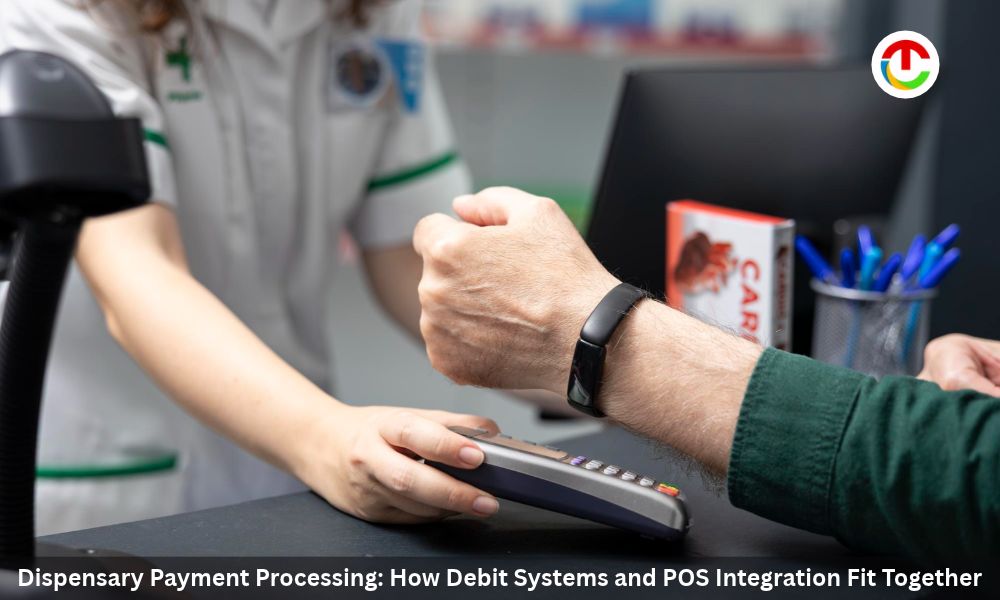
A dispensary checkout looks simple from the customer’s side of the counter. Scan the products, pay, take the bag and go. Behind that ten-second exchange sits a chain of software and hardware: the point-of-sale system, a PIN terminal, a processor, a card network, a bank and a reporting dashboard that someone has to trust at close.
Dispensary payment processing often gets discussed as a yes-or-no question about whether a store can take cards. The more useful question for an operator is technical. How do debit payments move through your systems, and how well do those systems talk to each other? Here’s how the pieces fit, and where integration tends to break.
Unlike conventional retailers, licensed dispensaries in the United States face restrictions on electronic payment processing. Major card networks prohibit marijuana purchases on their networks, so operators must verify that their chosen payment arrangement meets applicable banking, network and regulatory requirements.
How a Debit Transaction Moves Through the Checkout?
In a conventional PIN debit transaction, the customer presents a card and enters a PIN. The terminal securely transmits the payment request for authorization. In dispensary retail, the precise transaction flow depends on the payment arrangement and participating financial institutions.
An approval or decline typically comes back within seconds. In an integrated setup, the POS can automatically record the payment, generate a receipt and close the ticket. Approved transactions are then processed for settlement according to the provider’s procedures and deposit schedule.
Every handoff in that chain is a place where data can be lost or mismatched. An amount typed by hand, a terminal that times out or a POS that records the wrong tender type can each leave the books out of line with the bank deposit.
Choosing Terminals That Protect PIN Data
PIN-based debit payments require hardware designed to protect sensitive authentication data. The PCI Security Standards Council’s PIN Transaction Security requirements for point-of-interaction devices cover how those devices are built and managed to protect cardholder PINs and account data. The Council also publishes a list of approved devices and encourages merchants and their acquirers to use it when choosing terminals.
That gives you a concrete question for any provider: is the terminal you’re being offered on the PCI-approved device list? A clear answer, with the model number, is a good sign. A vague one is worth following up on before hardware is installed at your counter. Keep in mind that an approved terminal covers device security only; it doesn’t by itself establish that your full payment arrangement is compliant.
Reliable connectivity is another consideration when selecting payment terminals. A terminal that relies solely on the store’s Wi-Fi may become unavailable when the network fails, so ask whether the device can fall back to a cellular connection and what happens to a transaction that drops mid-authorization.
What POS Integration Means in Practice
“Integrated” gets used loosely, so it helps to define it. In an integrated setup, the POS sends the sale amount straight to the terminal and receives the result back automatically. In a standalone setup, the budtender reads the total off one screen and keys it into the terminal by hand.
The standalone approach can work, but it invites errors. A transposed digit, a sale rung up twice or a refund processed on the terminal but not in the POS can each create a gap someone has to chase at close. A properly configured integration can eliminate manual amount entry and associate payments with individual sales records.
Integration also affects reporting. When the POS and payment system share transaction data, reconciliation can require less manual matching, although refunds, fees and settlement timing may still create discrepancies. Ask a provider to show you, with a sample day’s data, how a POS sales report lines up against its payment report.
Debit Routing and What It Means for Fees
Debit cards can carry more than one network, and that affects cost. The Federal Reserve’s rule on debit card interchange fees and routing prohibits issuers and networks from limiting debit transactions to fewer than two unaffiliated networks, and from blocking a merchant’s ability to direct routing over any network the issuer has enabled.
For conventional debit transactions, available routing options can influence processing costs. Dispensary operators should confirm which payment networks support their specific arrangement, how transactions are classified and how associated charges appear on their statements. Routing requirements do not override card network restrictions on marijuana purchases.
Questions to Ask Before You Integrate
A short list of questions can reveal how well a provider’s technology fits your store:
- Which POS Integration systems does the payment system connect to directly, and is yours one of them?
- Is the terminal on the PCI-approved device list, and can it switch to cellular if the Wi-Fi fails?
- How are debit transactions routed, and how does that appear on your statement?
- Can you see transactions in real time, or only after the day closes?
- How often do deposits reach your bank account, and is that schedule in the agreement?
When comparing cannabis payment processing providers, operators can start by reviewing their published technical and reporting capabilities. Dispensary Card Services, for example, lists debit payments, Wi-Fi and 4G SIM capability, an online admin portal, real-time reporting and daily ACH bank deposits. POS compatibility and terminal specifications should be confirmed directly with the provider, as these may vary depending on the store’s existing setup.
Testing the Setup Before Launch
A payment system that works in a demo can still struggle on a Saturday afternoon. Before going live, test the transaction scenarios supported by the payment system, including standard sales, declined payments and, where available, split payments, refunds and voids.
Then test the failure cases in a controlled session outside normal business hours. Disconnect the router and see whether the terminal can continue on a cellular connection, if it has one. Let a transaction time out and check whether the POS and the payment report still agree afterward. The point is to find the gaps while the store is closed, not while a line is forming.
Run the new system alongside your current close for its opening week. Have a manager compare the POS report with the payment report each night, log each discrepancy and its cause, and share the patterns with the team.
Treat Payments as Part of Your Tech Stack
A debit option at the counter is only as reliable as the systems around it. Secure terminals, a direct link to the POS Integration, clear routing and reports that are easy to reconcile are what make electronic payments run smoothly day to day.
Before signing with any provider, map your current checkout from scan to deposit and mark every point where someone retypes a number. Which of those steps would a better integration remove?
Also Read:- How Debt Relief Programs Help Consumers Manage Financial Hardship and Avoid Bankruptcy