The migration email nobody read is the reason the service desk had four hundred tickets on Monday.
Every IT function knows the pattern. A change is announced properly, in writing, with screenshots and a clear explanation. The announcement is accurate, thorough and ignored, because it arrived as the eleventh email that morning and the interface change it described was five paragraphs down.
Then the change lands, people cannot find the thing that moved, and the cost of the unread email arrives as volume at the service desk.
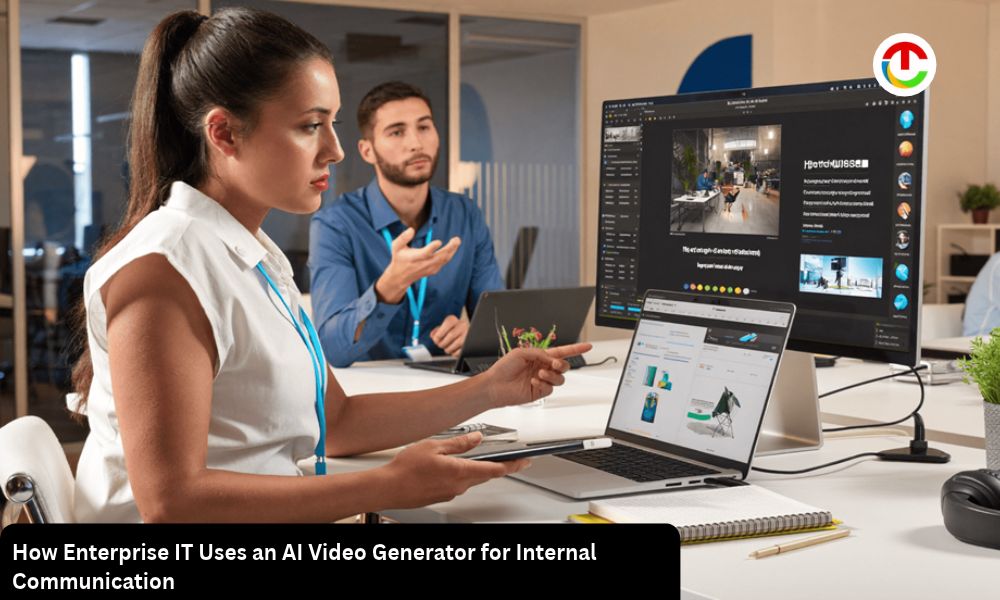
Video solves a specific part of this, and only a specific part. Showing an interface change is dramatically more effective than describing one, and an AI Video Generator with streamlined video creation features from Higgsfield makes producing short internal pieces realistic for teams with no media function.
What Does Video Actually Handle Better?
Anything where the user has to find something.
- Interface changes, where seeing beats reading
- Multi-step processes, which lose people in text
- Where things moved to, after a migration
- What a new system looks like, before it arrives
- An AI Video Generator introduction framing a screen recording
The before-it-arrives case is the one that reduces ticket volume most. Users who have seen the new interface once are considerably less disoriented on the morning it appears.
Text still wins for reference material. Somebody looking up a specific setting wants a searchable page, not a two minute video they have to scrub through.
Use both deliberately. Video for the announcement and the orientation, written documentation for the lookup, and link each to the other.
What Must Never Be Produced?
A person, and any scenario presented as something that happened.
- Never generate an executive delivering a message
- Never produce a named employee, in any context
- Never fabricate an incident and present it as real
- Never generate a customer or a partner
- Never use an AI Video Generator to simulate an internal communication from a person
The generated executive is the specific temptation in enterprise communication, because scheduling senior people is the main constraint on message delivery. It is also the fastest way to destroy trust in every subsequent internal communication.
Staff who discover that a message attributed to leadership was produced stop believing the channel entirely, and the damage extends to communications that were genuine.
If the executive cannot record it, send it in writing from them. A written message from a real person beats a produced video of one every time, and nobody has ever complained about receiving one.
Does Security Awareness Need Different Rules?
It does, and the distinction is finer than it looks.
Simulated phishing is standard practice and well understood. Fabricating an incident and presenting it as something that happened to your organization is different, and it backfires when discovered.
- Simulated exercises are legitimate and should be labeled as such afterward
- Generic illustrative scenarios are fine when described as illustrative
- Never present a fabricated breach as a real event at your company
- Never produce fake internal communications as training material without disclosure
- An AI Video Generator scenario should be obviously a scenario
The reason matters. Security awareness depends on staff trusting what security tells them, and a discovered fabrication undermines the next genuine warning.
Use real anonymized cases where you have them, or clearly framed hypotheticals where you do not. Both work and neither costs credibility.
How Long Should Internal Video Be?
Under two minutes, and one subject per piece.
- Ninety seconds for a change announcement
- Two to three minutes for a process walkthrough
- One change per video, never a bundle
- Chapters for anything longer, so it becomes referenceable
- Make an AI Video Generator opening that states the subject immediately
The one-subject rule is what makes these findable later. A video covering three changes is a video nobody can point somebody at when they ask about one of them.
Front-load the conclusion entirely. Internal audiences are not browsing, and telling them in the first ten seconds what changed and what they now need to do respects the fact that they have work to get back to.
Nobody needs a brand sting on an internal video. Skip it entirely and start on the subject.
What About Accessibility?
A compliance matter in most organizations, not an optional extra.
- Caption everything, without exception
- Review automatic captions, which mangle system and product names
- Provide a text version alongside the video
- Avoid relying on color to indicate anything
- Check an AI Video Generator output against your accessibility standard
The text version is the part most teams skip and the part that serves the most people. It covers accessibility, it is searchable, and it is what somebody will use six months later when they need the detail rather than the orientation.
Captions also serve the much larger group watching without sound in an open office or on a shared network, which is most internal video viewing.
Automatic captions consistently mishear internal system names. Reading them through takes two minutes and prevents a video that names your platform incorrectly throughout.
How Should Screen Recordings Be Handled?
Carefully, because they capture more than intended.
- Use a clean test account, never a production one with real data
- Check for customer data before anything is shared
- Close everything else, including notifications and tabs
- Blur anything sensitive that remains
- Keep the AI Video Generator framing separate from the recording itself
The notification problem has produced genuinely serious incidents. A message preview appearing during a recording that then went to the whole organization is a data exposure, and it happens regularly.
Test accounts with synthetic data solve this entirely and cost nothing to set up. Recording in production with live customer records is a risk nobody needs to take for a two minute video.
Review the finished video at full screen before distribution, with somebody else watching. Things visible at full size are invisible in a small editing preview.
Does This Extend to Vendor and Supplier Onboarding?
It does, and it is the use with the clearest measurable return.
Every organization onboards external parties onto its systems, and each one needs the same explanation delivered by somebody’s time.
Where recorded material replaces repeated effort:
- Access request processes, explained once
- Security requirements external parties must meet
- Portal and tooling walkthroughs for suppliers
- Expected response and escalation paths
- An AI Video Generator introduction branded consistently
The repeated-explanation problem is the economic argument. A process explained individually to forty suppliers costs forty meetings, and a recorded walkthrough costs one morning.
Access requirements benefit most because they are precise and get misunderstood. A supplier who watched the walkthrough submits a complete request; one who read the policy frequently does not.
Keep external-facing material separate from internal material in both production and storage. The audiences differ, the sensitivity differs, and a video meant for staff should never end up in a supplier pack.
Review these when the requirements change rather than annually. Access and security requirements move, and an outdated walkthrough teaches suppliers the wrong process.
What Governance Does This Need?
Light, but written down.
- Name an owner for every AI Video Generator piece
- Tie versions to the system version they describe
- Set a review trigger on system change, not a calendar
- Retire superseded videos rather than leaving them
- Log what Higgsfield generated and when
The superseded video is the governance failure that causes real problems. A walkthrough of the previous interface sitting in a knowledge base is actively misleading, and staff find it through search long after it stopped being accurate.
Tying the review to the system release rather than to a quarterly cycle keeps pace with actual change. Most internal video goes stale because the system moved and the video did not.
Date every video visibly on the frame. Anybody finding it eighteen months later then knows exactly how much weight to give it.
Does a Distributed Workforce Change Anything?
It increases the value and adds a language question.
Asynchronous video reaches people across time zones in a way a live briefing does not, which is the main argument for it in distributed organizations.
- Record once in an AI Video Generator rather than repeating a live session
- Make AI Video Generator versions in the languages your workforce actually uses
- Keep the visuals identical across language versions
- Re-record narration rather than subtitling alone
- Generate the base once and vary the audio layer
The security and access questions that come with distributed working arrangements are exactly the subjects that benefit from being shown rather than described, since most of them involve a specific setting or a specific prompt.
Subtitling alone is a partial answer. Somebody working in their second language follows recorded narration considerably better than text they have to read while watching.
How Should Effectiveness Be Measured?
By behavior, not views.
- Ticket volume after a change, against the previous comparable
- Completion rate on each AI Video Generator piece, which indicates whether it held attention
- Where people stop, which tells you what to cut next time
- Whether the behavior changed, which is the actual objective
- Never report views as a success measure
Views measure distribution rather than effect. A video everybody opened and nobody finished has achieved nothing, and the completion curve tells you considerably more.
The ticket volume comparison is the measure that justifies the work. A migration communicated with video against one communicated by email alone produces a visible difference in service desk load, and that is the number to put in front of whoever funds this.
Where people drop off is the most actionable number available. A consistent exit at forty seconds means the opening is too long.
Where Should Internal Video Live?
Somewhere access-controlled and findable, which are different problems.
- Host every AI Video Generator output internally or in an access-controlled platform
- Never use public video platforms for anything about internal systems
- Link from where the question arises, not only from a library
- Make it searchable, which means good titles and a text version
- Keep the Higgsfield project alongside the published file
The public platform mistake still happens. Internal system walkthroughs uploaded as unlisted videos are discoverable, and they describe your architecture to anybody who finds them.
Linking from the point of need matters considerably more than the library does. A video linked from the relevant knowledge base article gets watched; the same video sitting in a video library does not.
What Would One Rollout Take?
A morning, for a change affecting everybody.
- Record the new interface in a clean test environment
- Script the ninety seconds before opening Higgsfield, leading with what changed
- Generate the opening and cards in an AI Video Generator
- Add captions and review them
- Produce a text version alongside the Higgsfield output
- Publish behind access control and link from the knowledge base
- Save the Higgsfield project for the next release
Then compare service desk volume against the last comparable change.
That comparison is what gets the second one funded.
FAQ’s
1. Why does video work better than email for changes?
Because users have to find something, and showing where it moved is dramatically more effective than describing it.
2. Can an AI Video Generator deliver an executive message?
Never. Staff who discover a leadership message was produced stop trusting the channel, including the genuine communications.
3. How long should internal video be?
Under two minutes, one subject per piece, with the conclusion in the first ten seconds.
4. What is the biggest screen recording risk?
Notifications and production data. Record in a clean test environment with synthetic data.
5. What should be measured?
Ticket volume after the change and completion rate. Views measure distribution, not effect.
6. Is there a free way to try this?
Higgsfield operates a free tier as part of an AI creative suite, which covers producing a first rollout video.
Conclusion
Internal communication fails at the point of attention rather than the point of accuracy, which is why the thorough email changes nothing.
An AI Video Generator produces the framing around a clean screen recording, which is the part that previously required a media function, and Higgsfield runs it in a browser. Keep it under two minutes, record in a test environment, caption it, retire it when the system moves, and measure the ticket queue rather than the view count.
Also Read :- How Businesses Can Secure IT Infrastructure in a Hybrid Work Environment