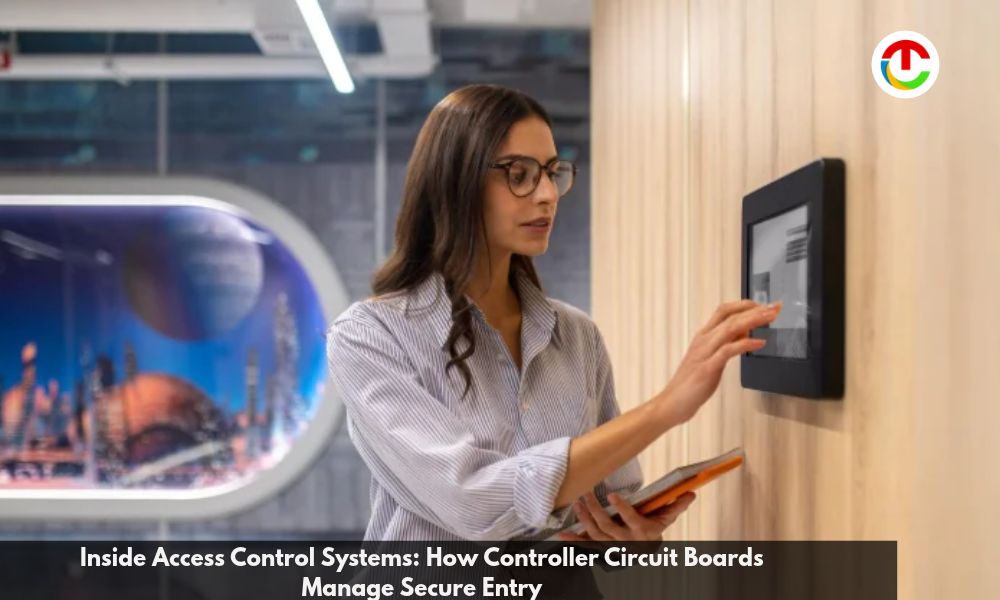
Less than a second passes during a badge tap, but plenty goes on behind the wall in that instant. Somewhere in a wall or ceiling, a small Controller Circuit Board reads the credential, checks it against stored rules, and decides whether a lock should open. More of these decisions now rest on hardware that few people ever see, and worldwide spending on the field reached $11.6 billion in 2025.
For integrators, OEMs, and IT managers, that hidden layer shapes how a system holds up during outages, attacks, and growth. This guide opens the box to show what sits on the board, how it makes each call, and what to weigh before you pick one.
How a Controller Circuit Board Decides Who Gets Through the Door?
The controller takes card data from the reader and checks it against the cardholders, schedules, and access levels in its own memory. If the match holds, it fires the door relay, usually within a fraction of a second. Most access control system controllers follow the same basic steps:
1. Reader input:
the board receives the card number or PIN sent by the reader.
2. Lookup:
the board searches its local cardholder list for a match.
3. Rule check:
it confirms the person may use this door at this time.
4. Output:
after a grant, the relay frees the lock for a preset period.
5. Logging:
the board time-stamps the event for the host software.
Door monitoring runs alongside this cycle, flagging any door that is forced open or held open too long. A door switch reports its state, while a request-to-exit device lets people leave without an alarm.
Because the decision stays on the board, entry keeps working when the network slows or drops. That is also why physical access control controllers normally live inside a secured room, well clear of the public face of the door.
What Is on a Controller Circuit Board?
1. Processing, Memory, and Firmware
A processor at the center runs the firmware and makes each call. On a typical Controller circuit board, flash memory holds the firmware and cardholder list, while RAM handles live tasks and the event buffer. Firmware updates rewrite flash, so the update process matters.
2. Reader Ports, Inputs, and Relay Outputs
Reader ports accept Wiegand or OSDP devices. Supervised inputs watch door contacts, exit devices, and tamper switches, and they can tell a cut wire from a normal open state. Relay outputs drive locks and other devices.
Onboard counts vary widely. Within the range of Mercury access control controllers, one model carries 4 reader ports, 8 inputs, and 4 outputs, while another has no onboard I/O and relies on add-on modules.
3. Power and Network Interfaces
These parts round out most electronic access control hardware:
- Power input: a 12 or 24 VDC supply, often paired with battery backup.
- PoE+: lets small ed1ge units run from a single network cable.
- Serial bus: RS-485 wiring that reaches downstream I/O and reader modules.
Intelligent Controllers and Edge Decision-Making
Older panels pass each card read to a host server and wait for an answer. By contrast, intelligent access controllers store the cardholder list on the board and decide locally, so a server crash does not lock people out. Events are held during the outage and synced once the link returns.
Capacity is now a design factor, with boards holding from a few hundred thousand to two million records. Certain intelligent security controllers also run certified apps at the edge, which takes work off the server.
Scaling From One Door to Many on a Network
1. Multi-Door Controller Design
Grouping nearby doors onto multi-door access controllers cuts the cost per opening. Doors spread across a campus often favor several smaller boards placed closer to each door.
2. Network Layout and Growth Through I/O Modules
The host server talks to each board over Ethernet. PoE edge units mount near a door, while cabinet panels sit in a secure room and reach doors through RS-485 modules. Many sites with networked access control controllers mix both styles.
| Scenario | Controller Type | Readers/Doors | Cardholder Capacity | Expansion Approach | Key Consideration |
| Single opening | PoE edge unit | 1 to 2 | Low | One network cable | Switch power budget |
| Small multi-door | Multi-door panel | 2 to 4 | Moderate | Onboard I/O | Room to add doors |
| Mid-size site | Panel with I/O modules | Up to 64 | High | RS-485 modules | Cable runs and bus load |
| Enterprise or regulated | Mixed panels and edge units | Hundreds | Very high | Many linked boards | Encryption and audit rules |
How Controller Circuit Board Protect Themselves From Cyber Attack?
Every controller on the network is an endpoint, and an attacker who takes one over can release doors or hide events. Hardening features worth checking are listed below:
- Secure boot: the board checks firmware signatures at startup and rejects tampered code.
- Signed updates: only images approved by the maker will install.
- Encrypted host links: TLS 1.2 or 1.3 with AES protects traffic to the server.
The reader link needs care too. Legacy Wiegand sends card data in plain form that anyone on the wire can copy. By contrast, OSDP Secure Channel encrypts the data passed between readers and controllers.
Choosing a Controller Circuit Board for Your Site
Door count alone is a weak guide. Weigh these points before you pick a board:
- Readers and doors per board, plus room for future openings
- Cardholder capacity and the size of the offline event buffer
- Onboard I/O versus add-on modules for later growth
- PoE support for edge openings far from a cabinet
- Encryption, secure boot, and a clear firmware update policy
A single opening suits a PoE edge unit, while enterprise or regulated sites need many encrypted boards with audit-ready logs.
Popular Questions About Access Control Systems Controller Circuit Board
1. How Are Door Decisions Handled if the Server Connection Fails?
Most modern controllers keep credentials, schedules, and access rules in onboard memory. During an outage, they go on granting or denying entry by themselves. Events are stored locally and uploaded once the link comes back. Exact behavior depends on memory size and setup, so check cardholder limits and offline settings during design.
2. Which Wiring and Power Considerations Affect Controller Reliability?
Reliable boards need power supplies sized for the load, the right cable gauge and run lengths for readers and locks, and shielded cable where interference is likely. Battery backup keeps panels running through power loss, while fail-safe or fail-secure locks set door status. Surge protection and clean grounding also cut board failures and reader faults.
3. How Should Installers Plan for Growth When Selecting a Controller Board?
Count current doors, readers, and inputs, then add a margin of about 20 to 30 percent for growth. Check credential capacity, event buffer size, encryption options, and whether more boards can link through standard protocols. Firmware that stays supported over time lowers the odds of replacing hardware early when security needs shift.
Next Steps for Your Controller Plan
Controller Circuit Board entry is decided on the controller board, so judge it on more than door count. List every opening, reader, and sensor first, and leave extra capacity for the growth you expect across the coming five years. Then test a shortlisted board offline. Pull the network cable, badge in, and confirm that the events reach the host once the link returns, which shows whether the board can really keep working alone.
Treat security as a spec line rather than an extra. Ask for secure boot, encrypted host and reader links, and a firmware update policy in writing. A board that passes those checks will keep doors working through outages, attacks, and expansion.
Also Read :- Best Enterprise Software Development Companies for Security and Compliance in 2026