Your team has a gallery full of TikTok clips. Somewhere in that mess is the product demo that could turn into another deserving edit. Now the question begins: Which folder has the product demo? Is the version approved? Meanwhile, the perfect clips stay sitting in the folder while someone considers reshooting. The team already has the footage, but finding usable shots shouldn’t take longer than editing it. And when a deadline is closing in, nobody wants to waste an hour digging through a simple clip. Well, that’s not a lack-of-content problem.
If your team already owns a collection of TikTok videos, those files can later become useful material for Instagram and YouTube. But downloading a clip, trimming it, and throwing it into another folder isn’t a workflow.
Audit your clips before starting editing
Your TikTok archive might be packed with product demos, launch videos, packaging shots, and behind-the-scenes clips, but which of these can actually be reused for the next project? That’s the first question to start with before you start editing. Pull out five to ten clips and review them first. A product demonstration can still work for the new campaign, while an old launch announcement could be tied to an expired offer.
A close might work for a quick reel bit only if the product details are clear enough to hold on screen. Don’t pick clips just because they sit in your library _ pick the one that deserves to be reused. Give the clip an identity, because something like VID-0847MP4 forces people to open the file just to find out what’s inside. A name like “serum closeup file” tells people what they’re looking at. A name like “serum closeup file” tells people what they’re looking at. Keep the original files untouched and make copies to use them for other videos.
Tag clips before they get lost
One editor saves clips under the campaign name, another sorts footage by project, and someone else leaves exports on their desktop. A few weeks later, nobody knows which version is best. That’s why tagging needs to happen even before clips start moving between projects and people. Build your tagging system around these three things:
- Campaign: Was the footage created for the product launch, seasonal promotion or paid campaign?
- Product: Which items and collections appear in the clip?
- Rights: Is the footage clear for intended use?
Also tag details such as packaging, unboxing, and other specifics to help editors narrow their search.
Decide Which Clips Are Worth the Editing Time
A library of 200 clips doesn’t mean you have 200 useful videos for your next reel; some shots can carry an entire edit, while others don’t simply fit what you’re trying to publish right now. The trick is to stop treating every clip equally. Start by matching your clip to the actual content needed. If the brief demands a strong opening shot, prioritise the image with an immediate visual hook, and the same goes for other clips. Next, score each clip against three criteria:
- Content fit: Do the clips serve a specific purpose in the planned reel?
- Editing potential: Can you use the footage as-is, or will it need editing?
- Reuse value: Could the same shot support more than one clip?
Then label them high for highly relevant videos, medium for those with workable alternatives, and low for those with little relevance. Hold for videos that cannot move forward.

Before
Clean Up the Footage Using Vmake Labs
Before turning the old clip into a reel or short, check if the footage is ready to use. The opening may need to be cropped, the details may not be as clear as desired, or the watermark may still appear in the corner of the TikTok clip.
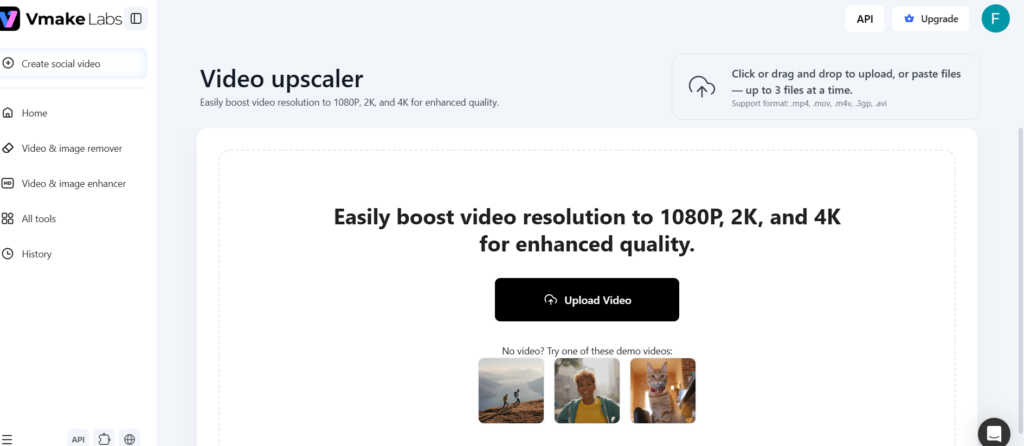
Vmake Labs offers tools to address issues like watermarks and low-quality videos. It offers enhancement up to 4K and lets you upload videos via link or in batches. Try the video enhancer on a copy of a suitable clip and check processing details, edges and other features after enhancing. If the watermark also needs attention, use the tiktok remove watermark tool as another feature to evaluate. Remember that removing the watermark doesn’t permit you to use someone else’s content.
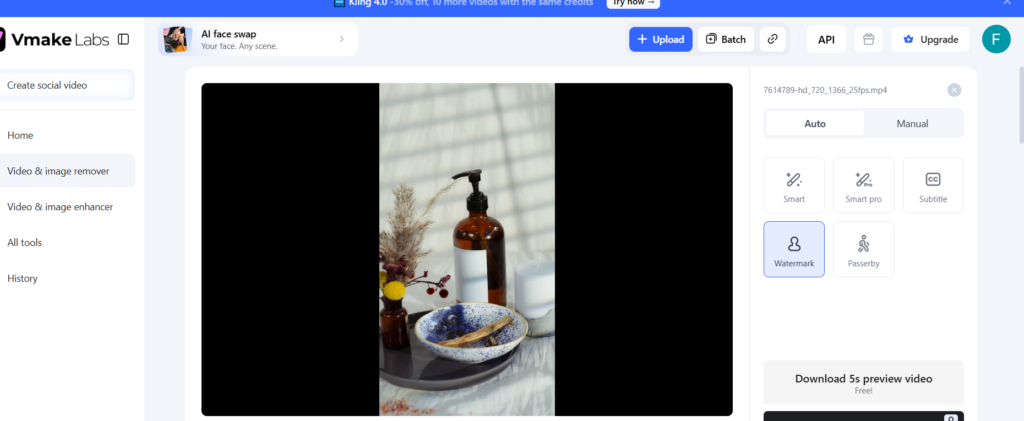
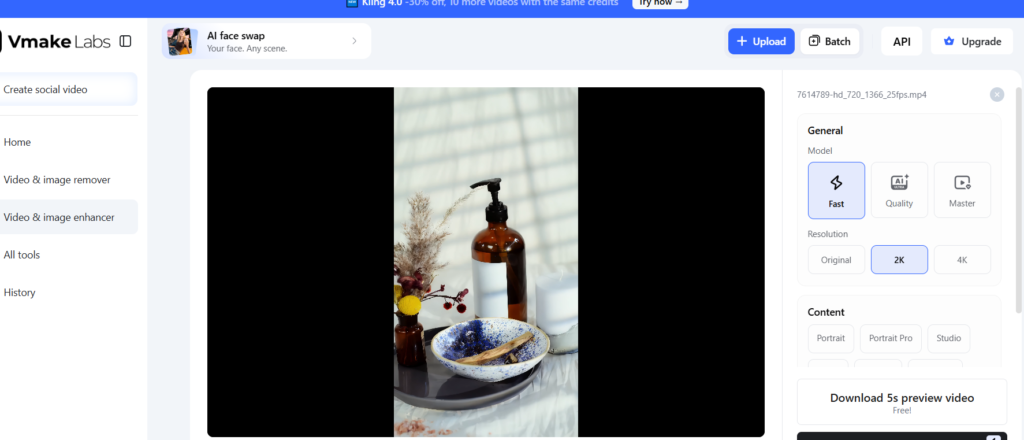
We are using the product video here to improve the video quality and remove the watermark. After uploading it to Vmake Labs, we noticed the following details. The Vmake Labs watermark remover removed the TikTok watermark, making it suitable for other platforms; then we enhanced the footage. It shows a cleaner frame, sharper product details, and higher output resolution.
Not every platform is ready for an improved version right away. Then decide what each clip should accomplish. Is it to launch a product or to demonstrate a feature? Now, look at the first few seconds. Cut out unnecessary pauses and get to a useful visual. If you add subtitles, text or music, ensure that they are cleared for the intended use.
Track Versions and Get Final Approval
Here is where a promising workflow can still fall apart: the team creates several edits but loses track of which one is ready to publish. Use names as
- Serumdemo-original
- Serumdemoreel-V1
- SerumDemo_Short_V2_Approved
Before uploading, review the final video against a quick approval checklist: accurate product details, current campaign details, cleared assets, and final approval.
Put your existing footage to work
A useful TikTok library isn’t just a collection of old videos. It’s a working resource that helps your team identify the worthy footage and make it ready for the new projects. Instead of digging through folders and planning another shoot, you can use Vmake Labs to pull out the right product demo cleanup and identify what needs fixing, then give those clips a second life as reels or shorts.
Also Read :- Why TikTok Shop Fulfillment Is Now a CIO Problem